
How to Use the USFans Spreadsheet: Complete Beginner Guide
Learn how to use the USFans Spreadsheet to find products, compare marketplace listings, review QC photos, submit orders correctly, and plan international shipping with confidence.
GoGo Finder
7/13/20269 min read
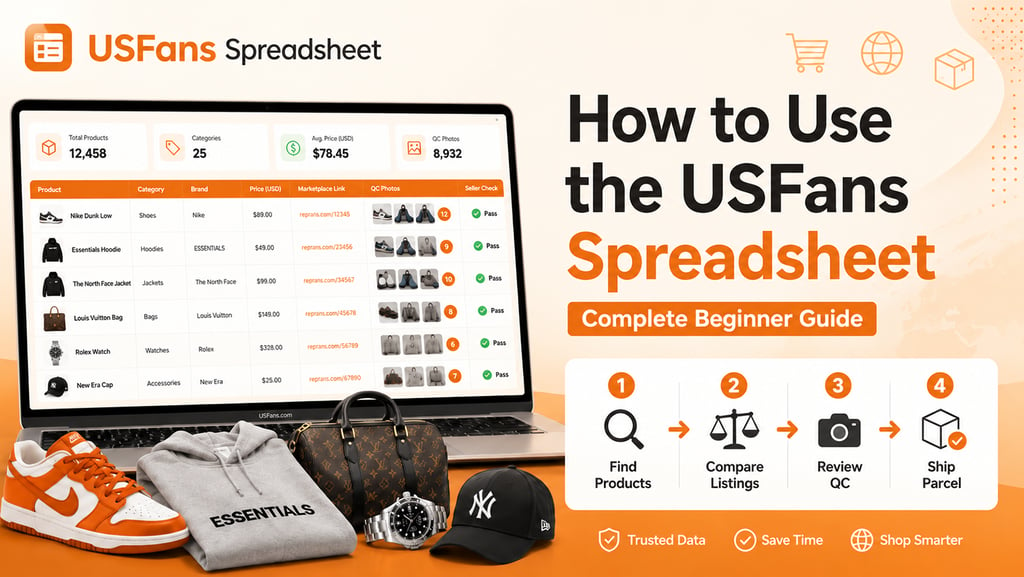
Using Chinese marketplaces for the first time can feel complicated. Product listings may use unfamiliar language, sellers may offer several versions of the same item, and international shipping is normally handled separately from the original product purchase.
The USFans Spreadsheet helps simplify the discovery stage by organizing product links, categories and useful buying information into a more accessible format.
However, finding a product is only the beginning. Buyers still need to review the original listing, compare sellers, select the correct product options, inspect warehouse QC photos and prepare an international parcel.
This guide explains how to use the USFans Spreadsheet from the initial product search through to international shipping.
What Is the USFans Spreadsheet?
The USFans Spreadsheet is an organized product-discovery resource that helps users browse products available through Chinese marketplaces such as Taobao, Weidian and 1688.
Instead of searching across multiple marketplace apps or seller stores, users can begin with a structured list of product finds.
A typical spreadsheet entry may include:
A product name or short description
A preview image
A product category
An estimated price
An original marketplace link
Seller or store information
QC photo references
Available versions or batches
A purchasing or agent link
The spreadsheet does not manufacture, sell or ship products. Its primary purpose is to make product research easier and connect users with relevant marketplace listings.
Prices, stock levels and seller links can change over time. Buyers should therefore verify the original listing before submitting an order.
Why Use the USFans Spreadsheet?
Taobao, Weidian and 1688 offer a large number of products, but navigating them directly can be difficult for international shoppers.
The USFans Spreadsheet provides a more structured starting point.
It can help users:
Browse products by category
Find marketplace links more quickly
Compare similar products
Discover sellers and product versions
Review available QC references
Avoid beginning every search from zero
Organize products before placing an order
The spreadsheet is especially useful for beginners who may not understand marketplace search terms, seller pages or the standard shopping-agent workflow.
It can also save time for experienced buyers who want to compare several listings before making a decision.
Step 1: Browse Products by Category
The easiest way to begin is to select a product category.
Common USFans Spreadsheet categories may include:
Shoes
T-shirts
Hoodies and sweaters
Jackets
Pants and shorts
Bags
Accessories
Browsing a category gives you a general view of the available styles, prices and sellers.
Do not feel pressured to choose the first attractive listing. The purpose of the browsing stage is to identify several possible options before comparing them more carefully.
Open multiple listings that appear relevant and keep track of the products that deserve further research.
Step 2: Search for a Specific Product
Users who already know what they want can search using a product type, style or category keyword.
It is usually better to start with a broad search term rather than an extremely specific phrase.
For example:
zip hoodie
running shoes
denim jacket
shoulder bag
cargo pants
sports jersey
A broad search can reveal more potential listings and help you understand how sellers describe similar products.
After reviewing the results, narrow the selection according to price, appearance, product options, seller information and available QC photos.
Search results should be treated as discovery suggestions rather than automatic buying recommendations.
Step 3: Open the Original Marketplace Listing
After finding an interesting product, open the original Taobao, Weidian or 1688 listing.
This step is essential because the original marketplace page normally contains more detailed and current information than the spreadsheet preview.
Check the following details:
Current product price
Available sizes
Available colors
Product versions
Seller photos
Description and specifications
Domestic shipping fee
Stock availability
Minimum order quantity
Return or exchange information
Do not order a product using only the spreadsheet thumbnail or title.
The original listing may have changed since it was first added to the spreadsheet. A product may be unavailable, a seller may have replaced the options, or the price may be different.
Verifying the listing reduces the risk of selecting the wrong product.
Step 4: Compare Similar Listings
The same type of product may appear through several sellers or marketplace links.
Comparing different options can help you identify meaningful differences in price, materials, sizing and quality consistency.
Consider comparing:
Product price
Recent listing activity
Product photos
Available sizes
Color and version options
Seller information
Historical QC photos
Return conditions
Domestic shipping fees
The cheapest listing is not always the best value.
A slightly more expensive product may provide clearer sizing information, stronger seller activity or more reliable QC results. On the other hand, a higher price does not automatically mean better quality.
The goal is to understand what each listing offers before deciding.
Step 5: Check Product Options Carefully
Before submitting an order, confirm every product option.
This may include:
Size
Color
Style
Batch
Version
Quantity
Additional notes
Chinese marketplace listings sometimes combine several products or versions on one page. Selecting the wrong option can result in receiving a completely different product.
If the available choices are unclear, add a note during order submission or ask the shopping service for clarification before payment.
Measurements are especially important for clothing and footwear.
Do not rely only on familiar size labels such as S, M, L or EU 42. Compare the seller’s measurements with an item you already own whenever possible.
Step 6: Submit the Product Link
Once you have selected a suitable listing, submit the original marketplace link through the relevant shopping platform.
The purchasing form may automatically import information such as:
Product title
Product image
Price
Domestic shipping
Available options
Seller information
Check the imported data carefully.
Automatic product information may be incomplete or incorrectly translated. Make sure that the selected size, color, version and quantity match the product you intended to purchase.
If necessary, include a clear order note.
A useful note might specify:
The exact color
The required size
The preferred version
A request to confirm availability
An important product detail
Clear instructions reduce the possibility of ordering errors.
Step 7: Pay for the Product
The first payment generally covers the product and the costs required to deliver it from the marketplace seller to the agent warehouse.
Depending on the platform and listing, this stage may include:
Product price
Domestic shipping
Service-related charges
Optional purchase services
This payment normally does not include the final international shipping fee.
Understanding the two-payment structure is important.
The first stage pays for the product and its delivery to the warehouse. The second stage occurs later, when the approved warehouse items are combined into an international parcel.
A low product price does not necessarily mean a low final cost because international shipping can represent a substantial part of the total expense.
Step 8: Wait for Warehouse Arrival
After the order is purchased, the seller ships the product to the warehouse.
Delivery time can vary depending on:
Seller processing speed
Product availability
Domestic courier service
Marketplace location
Holidays or sales periods
When the product reaches the warehouse, its status should update in the user account.
The warehouse may then record:
Product arrival
Basic item information
Product weight
Storage details
Standard inspection photos
This warehouse stage provides an opportunity to inspect the item before paying for international delivery.
Step 9: Review the QC Photos
QC means quality control.
QC photos are warehouse images showing the actual item received from the seller.
These photos are one of the most valuable parts of the shopping-agent process because they allow buyers to identify visible issues before international shipping.
When reviewing USFans QC photos, check:
Overall shape
Product proportions
Color
Materials
Stitching
Printed details
Labels
Size tags
Visible marks
Damage
Product measurements
Compare the warehouse photos with the original listing images, but remember that lighting and camera angles can affect appearance.
A color may look slightly different under warehouse lighting. Focus on meaningful discrepancies rather than minor photographic differences.
If an important area is not visible, additional photos or measurements may be useful where that service is available.
Step 10: Approve, Return or Exchange the Product
After reviewing the item, decide whether it should be kept, returned or exchanged.
Approval generally means that you accept the visible condition and want to include the product in a future international parcel.
A return or exchange may be appropriate when:
The wrong size was received
The wrong color was delivered
The product has visible damage
Important details differ from the listing
Measurements are significantly incorrect
The received version is not the one ordered
Return eligibility depends on the seller’s policy, the marketplace rules and the available return period.
Review QC photos soon after warehouse arrival. Waiting too long can reduce the available options.
QC photos are useful, but they cannot guarantee durability, material performance or perfect product quality. They only show what can be reasonably observed from the available images.
Step 11: Store and Consolidate Products
Approved products can usually remain in warehouse storage for a limited period.
This allows buyers to purchase several items separately and combine them later into one parcel.
Parcel consolidation can reduce repeated base shipping costs, but combining too many items may also increase weight and parcel dimensions.
Before consolidation, consider:
Total product weight
Product dimensions
Packaging size
Fragile items
Restricted products
Available shipping lines
Storage limits
Some buyers remove unnecessary packaging to reduce weight or volumetric size.
However, original boxes can protect fragile products. Packaging decisions should be based on the product type rather than cost alone.
Step 12: Build the International Parcel
When all selected products are ready, create an international parcel.
During this stage, confirm which warehouse items should be included.
The parcel may be calculated using:
Actual weight
Volumetric weight
Parcel dimensions
Destination country
Shipping route
Product type
Packaging services
Volumetric weight is especially important for large but lightweight parcels.
A bulky box may be charged according to the space it occupies rather than its physical weight. Removing unnecessary packaging can sometimes reduce the final charge.
Review the estimated parcel information before selecting a shipping line.
Step 13: Choose a Shipping Line
Available shipping options vary by destination, product category and parcel size.
Compare shipping lines according to:
Estimated cost
Delivery time
Tracking availability
Weight limits
Size limits
Product restrictions
Insurance options
Destination coverage
The cheapest route is not automatically the best option.
A lower-cost line may have slower delivery, limited tracking or stricter restrictions. A faster route may cost significantly more without providing meaningful value for a non-urgent parcel.
Select the line that provides the best balance of price, speed and suitability for your products.
Step 14: Pay for International Shipping
After selecting the parcel and shipping line, pay the international shipping fee.
This is normally the second major payment in the process.
The total may include:
International freight
Packaging services
Optional insurance
Additional handling
Route-specific charges
Check the full payment summary before confirming.
International shipping prices can change due to fuel costs, route availability, parcel dimensions and seasonal demand.
Coupons or promotional discounts may reduce some costs, but their conditions should be reviewed carefully before use.
Step 15: Track the Parcel
Once the parcel is dispatched, use the tracking information provided by the shipping service.
Tracking updates may include:
Parcel collection
Export processing
Airline or transport departure
Destination-country arrival
Customs processing
Local courier delivery
International tracking does not always update continuously. A parcel may remain on the same status for several days while moving between transport stages.
Customs clearance and local delivery times vary by destination.
Buyers should also understand the import rules, taxes and product restrictions that apply in their own country.
Common Beginner Mistakes
New users often make avoidable mistakes during their first order.
Common examples include:
Choosing a product from its cover image alone
Not opening the original marketplace listing
Selecting the cheapest seller automatically
Ignoring size charts and measurements
Ordering the wrong version
Skipping QC photo inspection
Missing a return deadline
Confusing product cost with international shipping
Ignoring volumetric weight
Selecting a shipping line based only on price
Assuming spreadsheet links remain active permanently
Taking time to verify each stage can prevent unnecessary costs and reduce the likelihood of receiving an unsuitable product.
Tips for Your First USFans Spreadsheet Order
A small and simple first order is usually easier to manage.
Consider beginning with:
One or two products
Clear marketplace listings
Products with straightforward sizing
Sellers with useful product information
Items that are easy to inspect in QC photos
A manageable parcel weight
The first order should help you understand the process.
After learning how product submission, warehouse inspection and international shipping work, you can make more informed decisions on future orders.
Final Thoughts
The USFans Spreadsheet makes product discovery easier, but successful shopping still requires careful research.
The most important process is:
Find a product
Open the original listing
Compare sellers and options
Submit the correct product
Review warehouse QC photos
Approve or return the item
Build the parcel
Select an appropriate shipping line
Do not treat a spreadsheet listing as a guarantee of product quality or availability.
Use it as a structured research tool, then confirm the current marketplace information before paying.
A careful approach to listings, sizing, QC photos and shipping can make the overall buying process clearer and more manageable.
Frequently Asked Questions
Is the USFans Spreadsheet free to use?
The spreadsheet can be used as a product-discovery resource. Buyers must still pay for products, domestic delivery, optional services and international shipping.
Does the USFans Spreadsheet sell products?
No. It helps users discover marketplace listings. Third-party sellers and shopping services handle product purchases and shipping.
Do I need to check the original marketplace listing?
Yes. The original listing contains the current price, product options, seller information and availability. Spreadsheet information may become outdated.
What are USFans QC photos?
QC photos are warehouse inspection images showing the actual item received from the marketplace seller before international shipping.
Why are there two separate payments?
The first payment generally covers the product and domestic delivery to the warehouse. The second payment covers international shipping after the parcel is prepared.
Can I return a product after reviewing QC photos?
Returns or exchanges may be possible before international shipment, depending on the seller’s policy, the return period and the shopping service’s rules.
Does the spreadsheet guarantee product quality?
No. Product quality can vary between sellers, listings and production batches. Buyers should review product details and QC photos carefully.
What should I do if a product link is no longer active?
Search for another listing, compare alternative sellers or return to the relevant spreadsheet category to find a current product link.
Recommended Links
→ Browse the USFans Spreadsheet
→ Explore USFans Spreadsheet Guides
→ Read More USFans Spreadsheet Articles
→ How to Research Products and Sellers on the USFans Spreadsheet